
Everyday tools
Tanpura, tala and tuning
These three are the reason to open the app on an ordinary Tuesday. They are separate screens, they need no recording, and nothing has to be analysed for them to work.
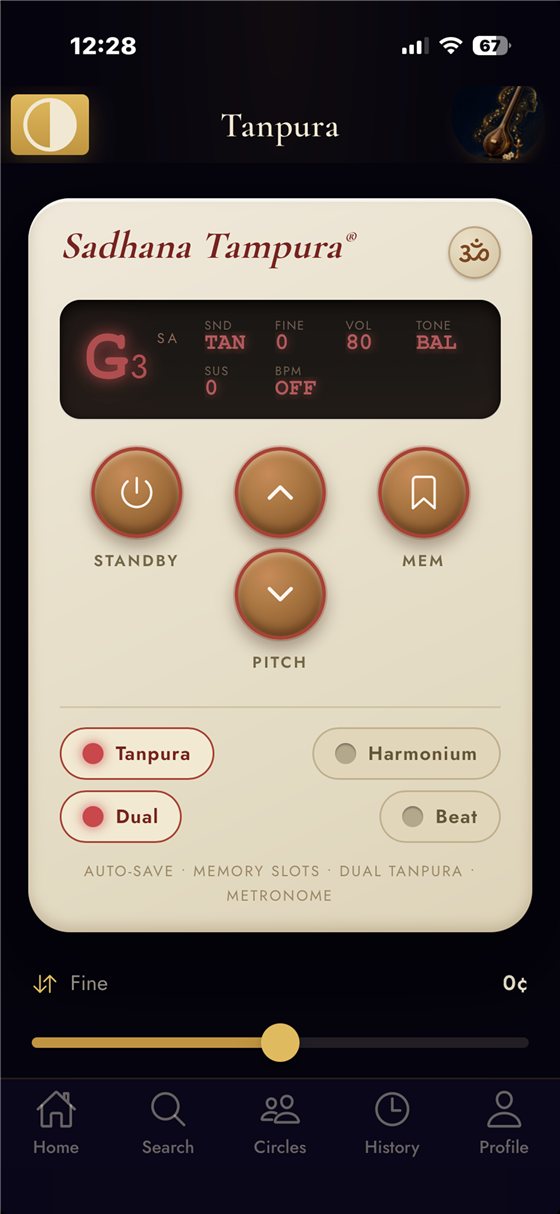
The tanpura and shruti drone
A drone you set to your kattai and leave running. It keeps sounding while you move to other screens, so you can start it once and practise for an hour against it.
Use it the way you would a physical shruti box: set it, then stop thinking about it. If you do not know what pitch you are comfortable at, sing a sustained note into the tuner first and read off what you are actually producing — that is usually more honest than guessing a kattai from memory.
The metronome, with tala modes
A plain click tells you where a beat is. A tala mode tells you where you are in the cycle, which is the part that actually goes wrong. Set the tala, set a tempo well below the one you want, and speed up only once the cycle stops surprising you.
The tuners
There is a chromatic tuner and instrument tuning support. This is the one surface that responds as you play or sing, rather than after a take, which makes it the right tool for two jobs:
- Tuning an instrument before you start.
- Finding out what you are really singing — hold a swara and watch. Singers are often a consistent few cents off in one direction, and seeing it is the fastest way to fix it.
Which one do I want?
| If you want to… | Use | Live or after the fact? |
|---|---|---|
| Hold a reference pitch while you practise | Tanpura / shruti drone | Continuous |
| Keep a tala cycle | Metronome with tala modes | Continuous |
| Tune an instrument | Tuner | Live |
| Check the pitch you are producing right now | Tuner | Live |
| See where a whole phrase drifted | Record a take and compare | After the take |
| Repeat one hard passage | Loop practice | Continuous |
They work together, but they are separate tools
Worth being clear, because bundled apps often imply more integration than exists: the drone, the metronome and the tuner are independent. The drone does not follow the metronome, and the tuner does not know what tala you set. What they share is that you can have the drone going while you use the others, and that anything you record afterwards lands in the same history.
docs/marketing/screenshot-brief.md. No placeholder images are used here.